|
|

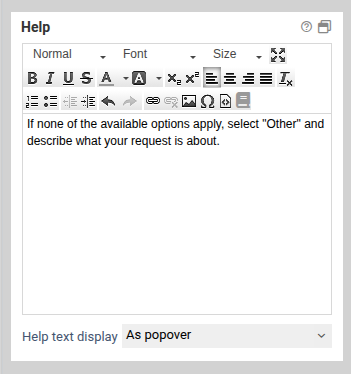
This feature allows you to add an explanation or help text to a form element. The Help text display option defines how the help text is displayed. The following display options are available:
- As popover: The help text appears when hovering over the help icon with the mouse. Once a help text has been entered, the help icon is displayed next to the form element. If the help text is deleted, the help icon is removed again.
- Always above: The help text is permanently displayed directly above the form element.
- Always below: The help text is permanently displayed directly below the form element.
To change the design of the help icon or the overlay bubble, create your own CSS theme.
Was this article helpful?
That’s Great!
Thank you for your feedback
Sorry! We couldn't be helpful
Thank you for your feedback
Feedback sent
We appreciate your effort and will try to fix the article
